| “I can't get over how small you are!”
This article is a stub. As such, it is not complete. You can help Portal wiki by expanding it.
|
Test Chamber 04
testchmb_a_02.bsp
This Test Chamber is the fifth level of the game, and combines the basics of portal placement and the use of the Weighted Storage Cube.
Hazards
Walkthrough
- Approach the cube dispenser to activate it.
- Place a portal underneath the Weighted Storage Cube in the pit.
- Collect the cube and place it on the button.
- Proceed to the Chamberlock.
trapping yourself
- As a matter of fact it is possible to trap yourself in this chamber
- first take down both cameras in the testing area
- then open the door with the cube
- put the cameras in a position to keep the door open
- move the cube off the button
- throw the cube through
- stand on and off the button
- you have now trapped yourself and GladOS is forced to bring you another cube
Video walkthrough
 Download demo file
Gallery
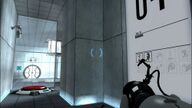 Pre-release Test Chamber 04 Pre-release Test Chamber 04 | Pre-release Test Chamber 04
|
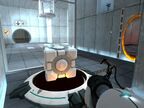 Ditto Ditto | Ditto
|
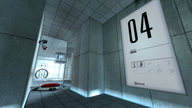 View from the entrance View from the entrance | View from the entrance
|
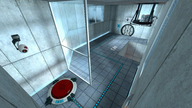 Overview Overview | Overview
|
|