Cooperative Testing Initiative/Calibration Course: Difference between revisions
Jump to navigation
Jump to search





No edit summary |
No edit summary |
||
| Line 28: | Line 28: | ||
| both-1 = {{Spoiler|Wave to each other.}} | | both-1 = {{Spoiler|Wave to each other.}} | ||
| atlas-2 = {{Spoiler|Ping your favourite animal (choices: horse, deer, rooster, elephant, wolf, moose, baboon, porcupine, rhinoceros).}} | | atlas-2 = {{Spoiler|Ping your favourite animal (choices: horse, deer, rooster, elephant, wolf, moose, baboon, porcupine, rhinoceros).}} | ||
| pbody-3 = {{Spoiler|Ping your favourite Periodic element (choices: copper, zinc, gallium, silver, cadmium, indium, gold, mercury, thallium).}} | | pbody-3 = {{Spoiler|Ping your favourite Periodic table element (choices: copper, zinc, gallium, silver, cadmium, indium, gold, mercury, thallium).}} | ||
| both-4 = {{Spoiler|Use the Ping tool to place Portals with the help of GLaDOS, then take the Portal Gun.}} | | both-4 = {{Spoiler|Use the Ping tool to place Portals with the help of GLaDOS, then take the Portal Gun.}} | ||
| both-5 = {{Spoiler|Place portals to reach the higher ledge.}} | | both-5 = {{Spoiler|Place portals to reach the higher ledge.}} | ||
Revision as of 16:27, 3 January 2022
 | “I can't get over how small you are!” This article is a stub. As such, it is not complete. You can help Portal wiki by expanding it. |
Calibration Course
mp_coop_start.bsp

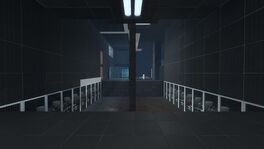
This is the first level in Co-op mode of Portal 2. Its purpose is to teach player the basics of Cooperative testing, like the Ping Tool, thinking with four portals, etc.
Hazards
- Goo
Walkthrough
| # | Atlas | P-body |
|---|---|---|
| 1 | Wave to each other. | |
| 2 | Ping your favourite animal (choices: horse, deer, rooster, elephant, wolf, moose, baboon, porcupine, rhinoceros). | |
| 3 | Ping your favourite Periodic table element (choices: copper, zinc, gallium, silver, cadmium, indium, gold, mercury, thallium). | |
| 4 | Use the Ping tool to place Portals with the help of GLaDOS, then take the Portal Gun. | |
| 5 | Place portals to reach the higher ledge. | |
| 6 | Stand on a button to make Orange able to proceed. | |
| 7 | Stand on a button to make Blue able to proceed. | |
| 8 | Use the portals to make Blue able to proceed. | |
| 9 | Use cubes to open a passage for each other. | |
| 10 | Activate the dropper. | |
| 11 | Place the cube on button. | |
| 12 | Pass the cube back to Orange. | Stand on a button. |
| 13 | Shoot portals. | |
| 14 | Pass through the portals, press a button to activate platforms leading to exit. | |